If you are searching for the best IPTV player for iOS, the right choice depends on how you watch. Some IPTV apps for iPhone are designed for quick M3U setup, while others offer Xtream Codes, EPG guides, AirPlay, Picture-in-Picture and synchronization across iPhone, iPad and Apple TV.
Article summary
- 5 Best IPTV Players for iOS in 2026: Quick Comparison
- 1. UHF – Best IPTV Player for iOS Overall
- Found your IPTV player? Now connect it to a compatible service.
- 2. Smarters Player Lite – Best IPTV Player for iPhone Beginners
- 3. Flex IPTV – Best M3U Player for iOS
- 4. GSE Smart IPTV Player – Best for Advanced iPhone & iPad Users
- 5. IBO Player Pro – Best for Simple Multi-Device Setup
- What Is the Best IPTV App for iPhone?
- What Is the Best IPTV Player for iPad?
- Want to see how PlayTVX performs on your own iPhone or iPad?
- Best M3U Player for iOS: What Should You Look For?
- IPTV Player vs IPTV App on iPhone: Is There a Difference?
- How to Set Up IPTV on iPhone or iPad
- Method 1: Set Up IPTV on iOS With Xtream Codes
- Method 2: Set Up an M3U Playlist on iPhone
- Can You Chromecast IPTV From an iPhone?
- iPhone, iPad or Apple TV: Which Device Gives the Best Experience?
- Which iOS IPTV Player Should You Choose?
- Choose your iOS player. PlayTVX provides the connection and setup help.
- Frequently Asked Questions About IPTV Players for iOS
- What is the best IPTV player for iOS?
- What is the best IPTV app for iPhone?
- What is the best IPTV player for iPad?
- What is the best M3U player for iOS?
- Can I use an M3U playlist on iPhone?
- Can I use Xtream Codes on iPhone?
- Can I Chromecast IPTV from an iPhone?
- Does an IPTV player include channels?
- Can I use the same IPTV app on iPhone and Apple TV?
- Is IBO Player Pro available on iPhone and Apple TV?
- Final Verdict: Best IPTV Player for iPhone, iPad and iOS in 2026
- Ready to watch on your iPhone, iPad or Apple TV?
For this 2026 update, we compared five current IPTV players for Apple devices: UHF, Smarters Player Lite, Flex IPTV, GSE Smart IPTV Player and IBO Player Pro. Below you will find the best option for beginners, the best IPTV app for iPhone and iPad, the strongest M3U player for iOS and the apps that make more sense if you also use Apple TV.
5 Best IPTV Players for iOS in 2026: Quick Comparison
The table below gives you the fastest way to compare the best IPTV apps for iPhone and iPad. App features can change over time, so always check the current App Store listing before installing.
| IPTV Player | Best For | M3U / M3U8 | Xtream | EPG | Apple TV | Our Pick |
|---|---|---|---|---|---|---|
| UHF | Best overall Apple experience | Yes | Yes | Yes | Yes | Best Overall |
| Smarters Player Lite | Beginners | Yes | Depends on workflow/version | Basic support | Yes | Easiest Start |
| Flex IPTV | M3U playlists | Yes | Not its main strength | XMLTV | Yes | Best M3U |
| GSE Smart IPTV Player | Playlist control on iPhone/iPad | Yes | Yes | Yes | No current tvOS listing | Advanced iOS |
| IBO Player Pro | Simple multi-device setup | Yes | Via compatible playlist/service setup | Depends on playlist/provider | Yes | Multi-Device |
1. UHF – Best IPTV Player for iOS Overall

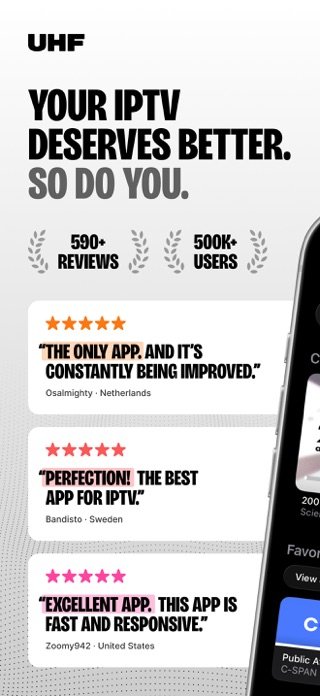
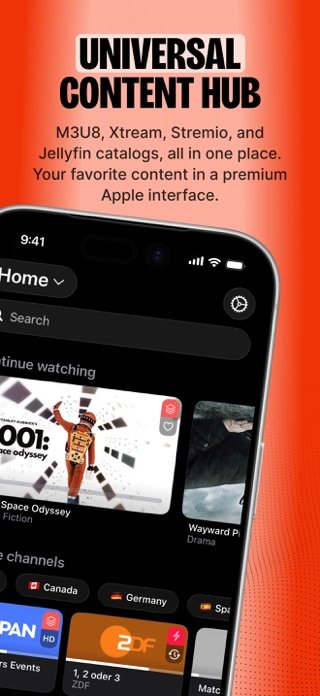
UHF – Love your IPTV is one of the strongest current options if you want a modern IPTV player that feels at home inside the Apple ecosystem. It is available for iPhone, iPad and Apple TV and supports common IPTV sources including M3U8 and Xtream.
Its biggest advantage is that it combines playlist management with a polished interface rather than feeling like a basic media player. This makes it particularly attractive if you move between an iPhone and Apple TV and want a more consistent experience.
Why we like UHF
- M3U8 and Xtream support
- Available on iPhone, iPad and Apple TV
- Global search across playlists
- Modern interface
- EPG and content organization
- Regular feature updates
Best for
- iPhone users who also own Apple TV
- Users with large IPTV libraries
- People who value interface quality
- Users who want Xtream or M3U support
Verdict: If someone asks us for the best IPTV player for iPhone and iOS overall, UHF is currently one of the first apps we would recommend evaluating.
View UHF on the App Store →Found your IPTV player? Now connect it to a compatible service.
PlayTVX works with compatible IPTV players on iPhone, iPad, Apple TV and many other devices. Choose a plan, receive your connection details and use the setup assistance if you need help getting started.
- ✓ 25,000+ live channels
- ✓ 90,000+ movies & shows
- ✓ 4K, FHD & HD
- ✓ Setup assistance
- ✓ 24/7 support
2. Smarters Player Lite – Best IPTV Player for iPhone Beginners

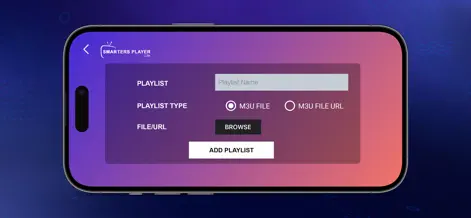
Smarters Player Lite remains one of the most recognizable IPTV/media players for Apple users. Its official App Store listing currently supports iPhone, iPad and Apple TV and accepts M3U, JSON and other standard playlist formats.
Its main advantage is familiarity. Users who have previously used IPTV players on a Smart TV, Fire TV or Android device will generally find the navigation style easy to understand.
Why choose Smarters Player Lite?
- Simple interface for new users
- M3U playlist support
- iPhone, iPad and Apple TV compatibility
- Live and on-demand media playback
- Large user base
Things to know
- The App Store contains several similarly named apps
- Always verify the developer before installing
- Some features differ between platforms and versions
Verdict: Smarters Player Lite is a sensible choice if you want an IPTV player for iPhone that is easy to understand without spending much time learning a new interface.
View Smarters Player Lite →3. Flex IPTV – Best M3U Player for iOS

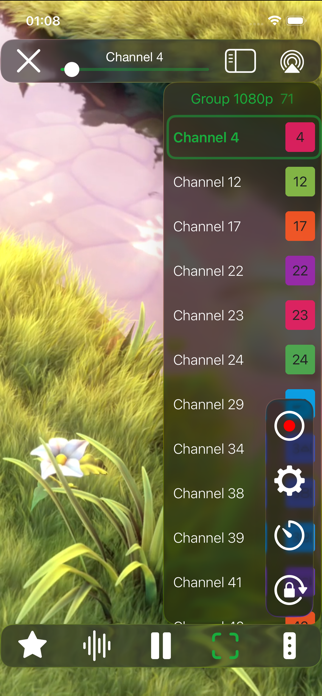
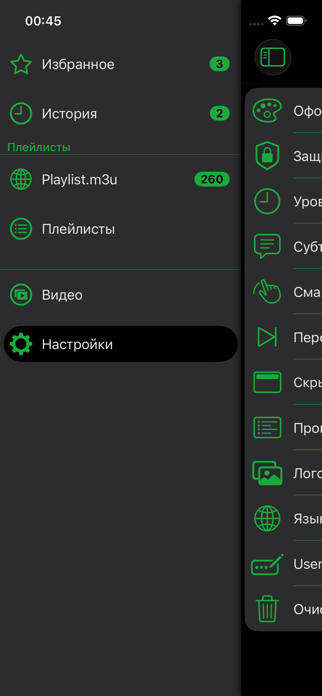
If your main requirement is loading an M3U playlist on your iPhone or iPad, Flex IPTV deserves a place on the shortlist. The app supports remote and local playlists, XMLTV EPG, favorites, automatic playlist updates and several common stream formats.
Flex IPTV is also available on Apple TV, making it useful if you prefer to use the same player family across your mobile device and television.
Useful features
- Remote and local playlists
- M3U-style playlist playback
- Automatic playlist updates
- XMLTV EPG support
- Favorites and viewing history
- Apple TV version available
Best for
- Users searching for the best M3U player on iOS
- Simple playlist-based setups
- People who do not need a heavy dashboard
- iPhone and Apple TV users
Verdict: Flex IPTV is a strong choice when your provider gives you an M3U playlist and you want a relatively direct way to load and manage it on iOS.
View Flex IPTV →4. GSE Smart IPTV Player – Best for Advanced iPhone & iPad Users

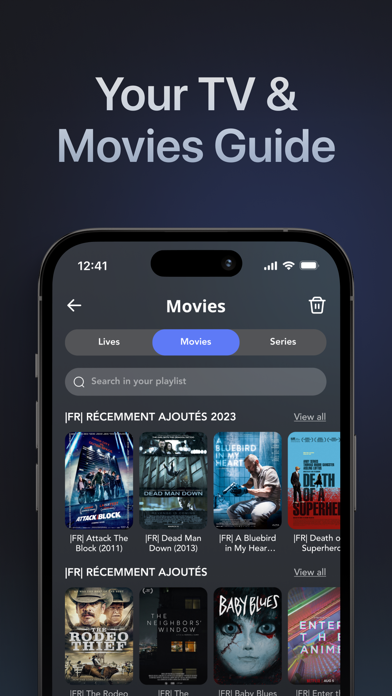
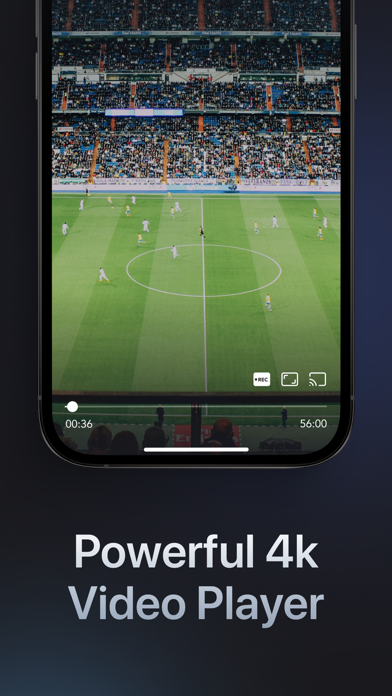
GSE Smart IPTV Player Live TV is another option for users who want direct support for both M3U playlists and Xtream Codes API on iPhone or iPad.
The current iOS listing includes playlist management, EPG, search and sorting, catch-up features and support for several network streaming formats. Unlike some of the other choices in this guide, the current listing we checked focuses on iPhone and iPad rather than Apple TV.
Key features
- M3U support
- Xtream Codes API support
- EPG and VOD
- Search and sorting
- Multiple playlist support
- Network stream support
Best for
- iPhone and iPad users
- Users with Xtream credentials
- People who want more playlist control
- Advanced streaming configurations
Verdict: GSE is worth considering if your priority is playlist flexibility on iPhone or iPad rather than a unified Apple TV experience.
View GSE Smart IPTV Player →5. IBO Player Pro – Best for Simple Multi-Device Setup
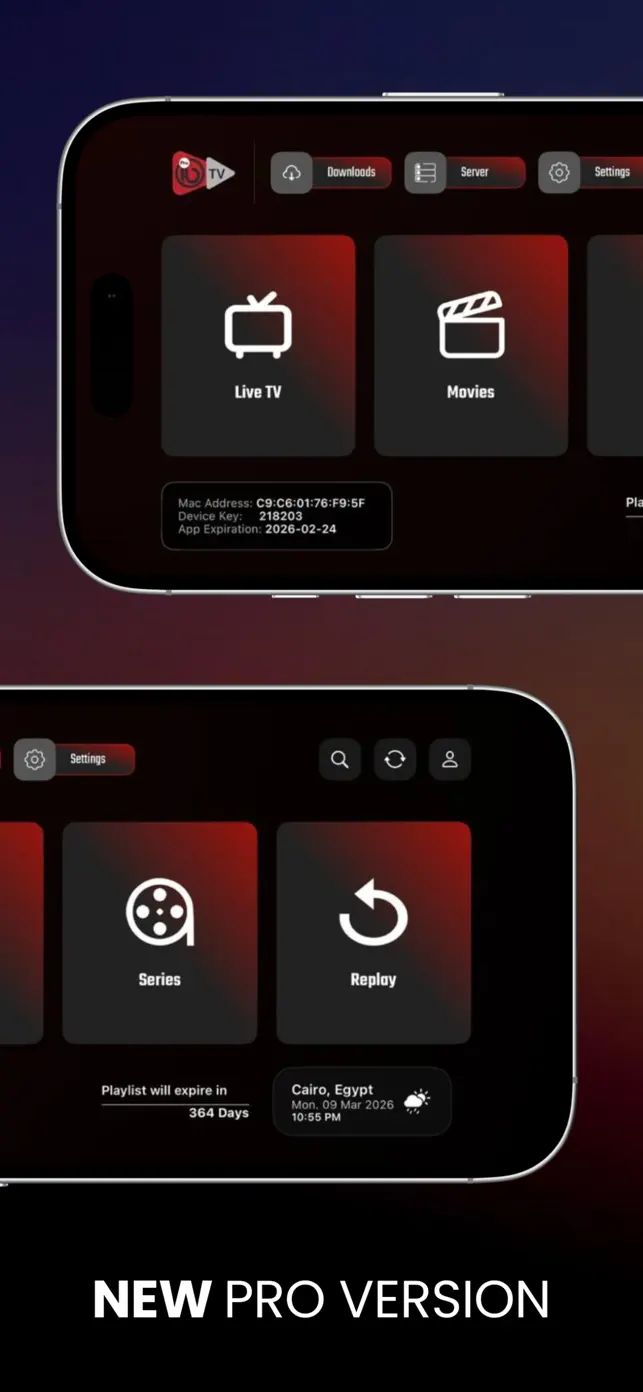
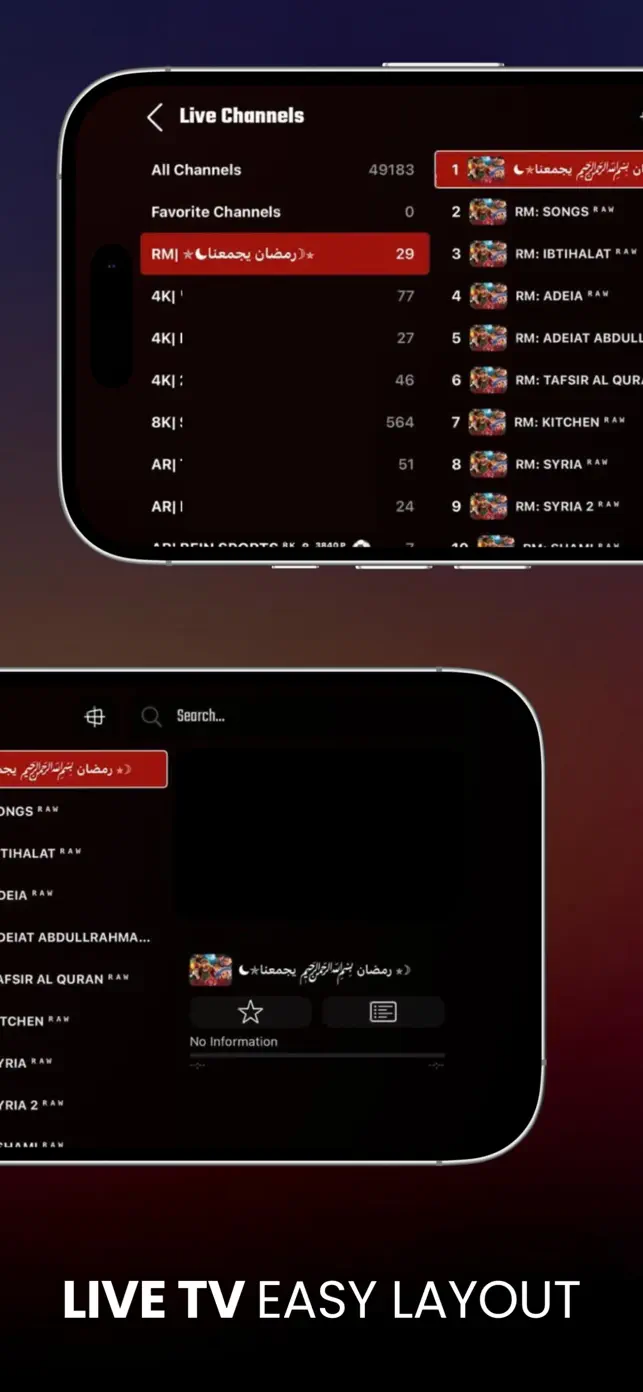
IBO Player Pro is a practical option for users who want a straightforward IPTV player across iPhone, iPad and Apple TV. The current App Store listing supports all three platforms and offers a seven-day trial for new users.
Unlike players that keep every setup step inside the app, IBO Player Pro uses a device-based playlist workflow. After installing the app, users can upload a compatible playlist through IBO’s device-management page. This can be convenient when you want to manage a player across several Apple devices without repeatedly entering long playlist URLs on a TV remote.
Why we like IBO Player Pro
- Available on iPhone, iPad and Apple TV
- M3U playlist support
- 4K streaming support
- VLC-based playback
- Multiple interface themes
- Movie posters, trailers and metadata
- Subtitle and language controls
- Seven-day trial for new users
Things to know
- The app does not provide channels or playlists
- You need your own authorized playlist or compatible service
- Playlist management is partly handled through IBO’s web device portal
- App activation is separate from any IPTV subscription
Verdict: IBO Player Pro is a good fit if you want a simple player that works across multiple Apple devices and you prefer managing your playlist through a device portal rather than typing long URLs directly on Apple TV.
View IBO Player Pro on the App Store →What Is the Best IPTV App for iPhone?
For most users, the best IPTV app for iPhone should be easy to navigate on a smaller screen, support the login method supplied by your service and make it simple to search live channels, movies and series.
If you only use an iPhone, GSE is also worth considering because it supports both M3U and Xtream logins. If your main priority is an M3U playlist rather than a feature-rich media library, Flex IPTV may be the simpler choice.
What Is the Best IPTV Player for iPad?
The best IPTV player for iPad is often slightly different from the best option for an iPhone because the larger screen makes EPG grids, movie libraries and multi-column interfaces more useful.
UHF is particularly attractive on an iPad if you value a more visual library experience. Smarters Player Lite remains a straightforward alternative, GSE gives users more direct playlist and network-stream controls, and IBO Player Pro is useful if you want one player across iPad and Apple TV.
If you regularly switch between your iPad and Apple TV, prioritize an app that is available on both platforms. UHF, Smarters Player Lite, Flex IPTV and IBO Player Pro currently offer Apple TV versions.
Want to see how PlayTVX performs on your own iPhone or iPad?
Use the 24-hour PlayTVX trial with a compatible iOS player and test the setup on your own internet connection before choosing a longer subscription.
Start a 24-Hour Trial – $1.99 →Best M3U Player for iOS: What Should You Look For?
Searches for a best M3U player for iOS usually come from users who already have a playlist URL and simply need an app that can load it reliably.
For that use case, prioritize four things: remote playlist support, automatic playlist refresh, EPG compatibility and stable playback. Flex IPTV is particularly focused on this workflow, while UHF is a stronger choice if you also want a richer library interface.
IPTV Player vs IPTV App on iPhone: Is There a Difference?
In practice, people searching for the best IPTV app for iPhone and the best IPTV player for iPhone usually want the same thing: an iOS application that can load their IPTV credentials or playlist and organize the available content.
“IPTV player” is simply the more precise term because the app itself usually does not provide the channels. It plays and organizes streams from a compatible service or another authorized source.
That is why the best app for you should be chosen based on compatibility first: check whether you received an M3U URL, M3U8 playlist, Xtream login or another supported format.
How to Set Up IPTV on iPhone or iPad
Once you have selected an IPTV player, setup normally takes only a few minutes. The exact buttons vary by app, but most iOS players use either an M3U playlist or Xtream Codes credentials.
Method 1: Set Up IPTV on iOS With Xtream Codes
Install a compatible IPTV app
Choose an iPhone or iPad player that explicitly supports Xtream credentials.
Select the Xtream login option
Look for wording such as “Xtream,” “Xtream Codes API,” “Add Account” or “Login with Xtream.”
Enter your server details
Add the server URL, username and password supplied with your service.
Save and load the account
The app should begin importing the available live channels, movies, series and EPG data supported by the service.
Method 2: Set Up an M3U Playlist on iPhone
Open the playlist section
Choose “Add Playlist,” “Add M3U” or the equivalent option in your selected app.
Select playlist URL
Choose the option to load a remote playlist rather than a local file if your provider gave you a URL.
Paste the M3U link
Enter the complete URL exactly as it was supplied.
Save and allow it to load
Large playlists can take a little longer to populate during the first import.
Not sure which login type you received? See our complete M3U vs Xtream Codes guide.
Can You Chromecast IPTV From an iPhone?
Yes, it can be possible to cast video from an iPhone to a Chromecast-compatible device, but Chromecast support depends on the IPTV app you choose. Do not assume that every iOS IPTV player supports Google Cast simply because it supports AirPlay.
If Chromecast is important to your setup, check the latest App Store description for explicit Chromecast or Google Cast support before choosing the player.
For users who mainly own Apple hardware, AirPlay and a native Apple TV app will often provide a more integrated experience. UHF, for example, currently advertises both AirPlay and Chromecast support.
iPhone, iPad or Apple TV: Which Device Gives the Best Experience?
If Apple TV is your main screen, read our dedicated Best IPTV Player for Apple TV in 2026 comparison.
Which iOS IPTV Player Should You Choose?
| Your Priority | Best Player to Consider | Why |
|---|---|---|
| Best overall iOS experience | UHF | Modern interface, M3U8/Xtream and Apple TV support |
| Best IPTV player for beginners | Smarters Player Lite | Familiar and straightforward interface |
| Best M3U player for iOS | Flex IPTV | Playlist-focused workflow and XMLTV EPG |
| Best advanced iPhone/iPad player | GSE Smart IPTV Player | M3U + Xtream and broader playlist controls |
| Best simple multi-device setup | IBO Player Pro | iPhone, iPad and Apple TV support with web-based playlist management |
Choose your iOS player. PlayTVX provides the connection and setup help.
PlayTVX supports compatible iPhone, iPad, Apple TV, Smart TV, Fire TV, Android, Windows and Mac setups. Every current subscription includes installation assistance and access to the support team.
- ✓ 6 months: $34.99
- ✓ 12 months: $49.99
- ✓ 24 months: $89.99
- ✓ 24-hour trial available
Frequently Asked Questions About IPTV Players for iOS
What is the best IPTV player for iOS?
UHF is one of our strongest overall choices for 2026 because it supports iPhone, iPad and Apple TV together with M3U8 and Xtream sources.
What is the best IPTV app for iPhone?
UHF is a strong choice if you want a modern interface and Apple TV compatibility. Smarters Player Lite is easier for beginners, GSE is useful if you want direct M3U and Xtream support on iPhone, and IBO Player Pro is a good option if you want the same player on iPhone and Apple TV.
What is the best IPTV player for iPad?
UHF works particularly well for users who want to take advantage of the iPad’s larger screen for guides and libraries. Smarters Player Lite, Flex IPTV, GSE and IBO Player Pro are also available for iPad.
What is the best M3U player for iOS?
Flex IPTV is a strong M3U-focused option because it supports remote and local playlists, playlist updates and XMLTV EPG. UHF is a good alternative if you want additional library and Apple ecosystem features.
Can I use an M3U playlist on iPhone?
Yes. Many iOS IPTV players support remote M3U or M3U8 playlists. You normally paste the playlist URL into the app and allow it to import the available media.
Can I use Xtream Codes on iPhone?
Yes, as long as your chosen IPTV app supports Xtream logins. UHF and GSE are examples of apps whose current listings include Xtream support.
Can I Chromecast IPTV from an iPhone?
It depends on the player. Chromecast and AirPlay are different technologies, so check whether your chosen app explicitly supports Google Cast if Chromecast is essential to you.
Does an IPTV player include channels?
Usually not. IPTV players are media applications. You need your own authorized playlist, media source or compatible IPTV service to supply the content the player displays.
Can I use the same IPTV app on iPhone and Apple TV?
Yes, if the developer offers versions for both iOS and tvOS. UHF, Smarters Player Lite, Flex IPTV and IBO Player Pro currently list support for both iPhone and Apple TV.
Is IBO Player Pro available on iPhone and Apple TV?
Yes. The current App Store listing for IBO Player Pro supports iPhone, iPad and Apple TV. The app is a media player only, so you still need your own authorized playlist or compatible streaming service.
Final Verdict: Best IPTV Player for iPhone, iPad and iOS in 2026
There are now several good IPTV players for iOS, but they serve slightly different users.
UHF is our best overall choice for a modern Apple-focused setup. Smarters Player Lite remains an easy starting point for beginners, while IBO Player Pro is a practical choice if you want one player across iPhone, iPad and Apple TV.
For users specifically searching for the best M3U player for iOS, Flex IPTV offers a straightforward playlist-focused experience. GSE is a useful alternative for iPhone and iPad users who want both M3U and Xtream support with more playlist controls. IBO Player Pro stands out for users who prefer web-based playlist management and broad Apple-device compatibility.
Whichever IPTV app you choose, match the player to the login method you actually have, then confirm device compatibility before paying for any premium app features.
For an Apple-device setup, see our IPTV for iOS guide.
Ready to watch on your iPhone, iPad or Apple TV?
Choose a PlayTVX subscription, receive your account details and connect them to a compatible IPTV player. If you need help, setup assistance is included with every current plan.