IPTV Smarters vs TiviMate vs XCIPTV: Which Player Is Best?
You’ve just purchased a premium IPTV subscription, and now you face the next big decision: which app should you use to watch it?
Article summary
The player you choose dictates your entire streaming experience. A bad app can make a premium service feel cheap, while a great app can make navigating 25,000 channels feel effortless.
Today, the market is dominated by three giants: TiviMate, IPTV Smarters Pro, and XCIPTV. But which one is actually the best? Let’s compare them.
1. TiviMate (The Premium Choice)
TiviMate is widely considered the absolute gold standard for Android TV, Nvidia Shield, and Amazon Firestick users.
The Good:
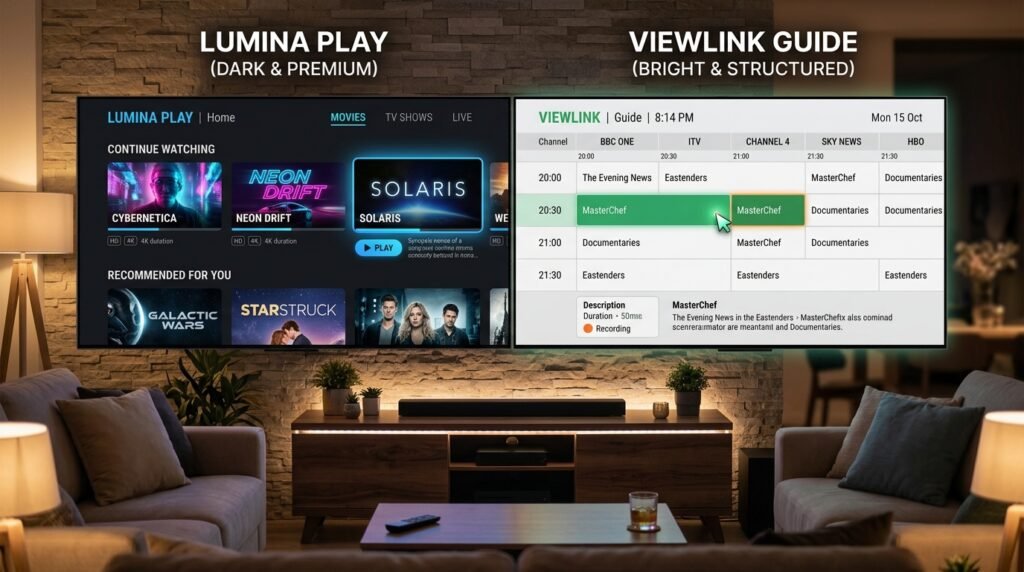
– Cable-Like Interface: TiviMate’s UI is stunning. It looks and feels exactly like a high-end cable or satellite box.
– Incredible Speeds: Channel zapping (switching between channels) is instantaneous.
– Advanced Features: It offers multi-view (watch 4 channels at once), picture-in-picture, and excellent Catch-Up TV support.
– Customization: You can easily hide categories, reorder channels, and customize the EPG.
The Bad:
– Android Only: TiviMate is not available on Apple TV, iOS, or Roku.
– Premium Cost: While there is a free version, you need to pay a one-time fee to unlock the essential premium features.
2. IPTV Smarters Pro (The Universal All-Rounder)
IPTV Smarters Pro is the most popular IPTV app in the world, largely because it is available on almost every device imaginable.
The Good:
– Universal Availability: It works on Android, iOS, Windows, Mac, and many Smart TVs (Samsung/LG).
– Simple Dashboard: The app uses a simple block layout: Live TV, Movies, Series, and Catch-Up. It’s very easy for beginners to understand.
– Built-in Speed Test: Handy for checking if your internet connection is causing buffering.
– Free: The core version is completely free and includes almost everything you need.
The Bad:
– Outdated Design: The interface hasn’t seen a major update in years and feels a bit clunky compared to modern alternatives.
– Cluttered EPG: The TV Guide isn’t as smooth or intuitive to navigate as TiviMate.
3. XCIPTV (The VOD Specialist)
XCIPTV is a rising star that focuses heavily on providing a Netflix-style experience for your Movies and TV Series (VOD).
The Good:
– Stunning VOD Layout: If you watch a lot of movies and series through your IPTV provider, XCIPTV pulls in beautiful posters, IMDb ratings, and cast info perfectly.
– Very Fast: It is highly optimized and runs very well even on older, slower Android boxes.
– Built-in VPN Support: It allows for easy VPN integration directly within the app.
The Bad:
– Live TV Interface: The Live TV section and EPG are good, but still fall slightly short of TiviMate’s cable-like perfection.
– Android Focus: Like TiviMate, its best version is restricted to the Android ecosystem.
The Verdict
So, which one should you choose for your PlayTVX subscription?
- Choose TiviMate if: You are using a Firestick or Android TV and want the absolute best, most premium Live TV and sports experience possible.
- Choose IPTV Smarters Pro if: You are using an iPhone, iPad, PC, or want a simple, free app that just works across all your devices.
- Choose XCIPTV if: You care more about having a beautiful, Netflix-style interface for your Movies and TV Series.
Regardless of which app you choose, you need a powerful, buffer-free service to fuel it. Get your PlayTVX subscription today and experience true 4K streaming on the app of your choice!
Whichever player you choose, keep the IPTV EPG repair checklist available for missing listings, time offsets and guide-refresh problems.